ReDo Wheel Drive
by ReDo.Toys (@ReDo.Toys)
Description
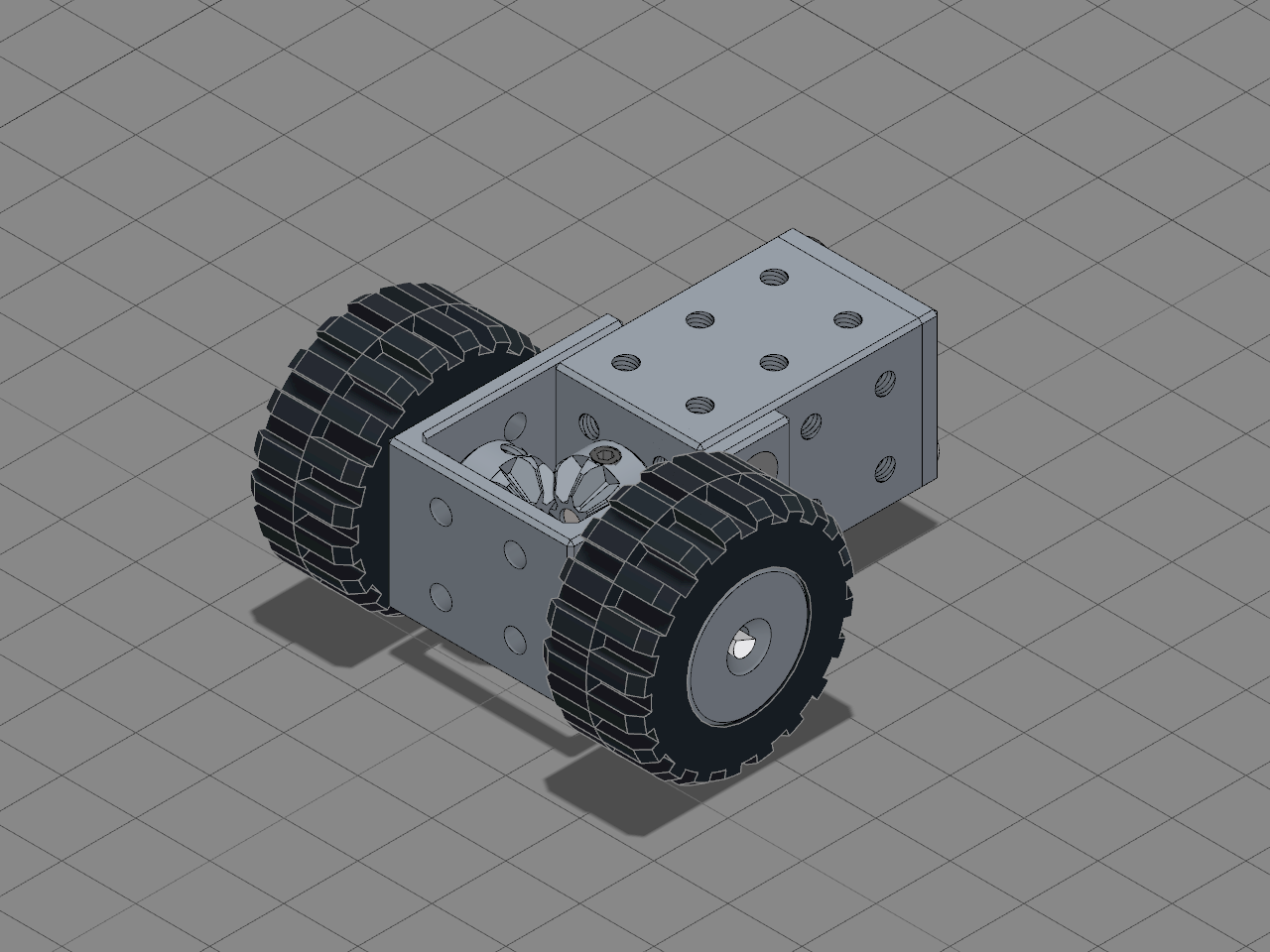
A two-wheel traction module built from ReDo parts: an N20-size micro gearmotor in its printed case drives a 3 mm axle through 90° by a pair of 8-tooth bevel gears inside a printed U, and the axle carries a wheel and tyre at each end.
## How it is built
- **The motor** slides into the Micro Gearmotor Case from the back, its shaft out through the front wall, and the Micro Gearmotor Case Lid closes it on two countersunk M3 × 5 screws, the wires leaving through the lid's notch.
- **The Wheel Drive Frame** is a U of two 30 × 20 × 2.5 side plates joined at their far end. The plates slide over the case's sides and each screws to it with two countersunk M3 × 5 screws, so the U runs 20 mm past the case's front. Each plate carries the axle, a 3 mm Rod with a D flat its whole length, at the centre of its other four M3 holes: 10 mm in front of the case and level with the motor's shaft.
- **The gears** are two identical 8-tooth Spur Gears with Bevel ticked: 45° bevel gears whose teeth run in to a point where the motor's shaft and the axle cross. Each is 7.5 mm long, with a disk as wide as its teeth holding an M3 × 4 grub screw. One sits on the motor's shaft with its disk against the case, the other on the axle with its disk against a side plate, and the pair turns 1:1 at right angles.
- **Each wheel** is a Wheel Rim on the 16.8 mm seat wearing a LEGO 30.4 × 14 tyre, pushed onto the axle outside a plate. An M3 × 4 grub screw across the rim's middle, under the tyre, grips the axle's flat, so the wheels turn with the axle.
## Build it
1. Put the motor in the case, wires out of the back, and screw the lid on.
2. Slide the frame over the front of the case and screw both plates to its sides.
3. Push one gear onto the motor's shaft, disk first, until the disk meets the case, and tighten its grub screw on the shaft's flat.
4. Thread the axle through the first plate, the second gear (teeth towards the motor's gear) and the second plate. Slide the gear along until its disk meets the second plate and its teeth mesh, tighten its grub screw on the axle's flat, then push a rim onto each end, tighten its grub screw on the same flat, and stretch its tyre over it.
Every screw, gear, wheel and tyre in it is joined the way the editor joins them, so its parts list is the shopping list. Couple the two gears in Assembly and Simulation turns the axle and both wheels with the motor. Bolt two drives to a plate and you have a robot's drive train.
Bill of materials
- 1 × Wheel Drive Frame
- 1 × Micro Gearmotor Case
- 1 × Micro Gearmotor Case Lid
- 1 × Micro Metal Gearmotor
- 1 × Spur Gear · motor
- 1 × Spur Gear · axle
- 1 × Rod · axle
- 1 × Wheel Rim · left
- 1 × Tyre · left
- 1 × Wheel Rim · right
- 1 × Tyre · right
- 10 × Screw
Licences
- Wheel Drive Frame: CC-BY-SA-4.0, credit ReDo.Pro. Downloads: STEP, STL and 3MF
- Micro Gearmotor Case: CC-BY-SA-4.0, credit ReDo.Pro. Downloads: STEP, STL and 3MF
- Micro Gearmotor Case Lid: CC-BY-SA-4.0, credit ReDo.Pro. Downloads: STEP, STL and 3MF
- Micro Metal Gearmotor (precious-metal brushes): CC-BY-SA-4.0, credit Pololu. Downloads: STEP, STL and 3MF
- Spur Gear: CC-BY-SA-4.0, credit ReDo.Pro. Downloads: STEP, STL and 3MF
- Rod: CC-BY-SA-4.0, credit ReDo.Pro. Downloads: STEP, STL and 3MF
- Wheel Rim: CC-BY-SA-4.0, credit ReDo.Pro. Downloads: STEP, STL and 3MF
- Small Tyre: CC-BY-SA-4.0, credit ReDo.Pro. Downloads: STEP, STL and 3MF
- Screw: CC-BY-SA-4.0, credit ReDo.Pro. Downloads: STEP, STL and 3MF